Prefixes & Suffixes
Learn the little word-beginnings and word-endings that change what a word means — then practise saying them out loud.
Who is this for?
This tool is for anyone who wants to understand new words without having to look up every single one.
A prefix is a small piece stuck on the front of a word, and a suffix is a small piece stuck on the end. Once you know a handful of them, you can work out hundreds of words you've never seen before — which is a very handy superpower.
What will you learn?
Prefixes & Suffixes shows you one word-piece at a time, with plenty of examples. Here's what you get to do:
- Learn what each word-piece means, like UP- for upward or DIS- for not.
- Record yourself saying the examples and play your own voice back.
- Take a short quiz to check the meanings really stuck.
There's no rush at all. One word-piece a day is plenty, and each one you learn unlocks a whole family of words.
How to use it — step by step
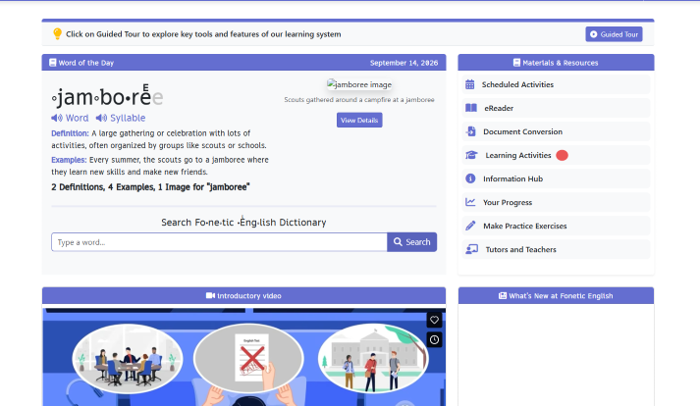
Step 1 — Find Learning Activities
When you open the app, look at the list on the right called Materials & Resources. Every line is something you can do. Click Learning Activities to see them all.
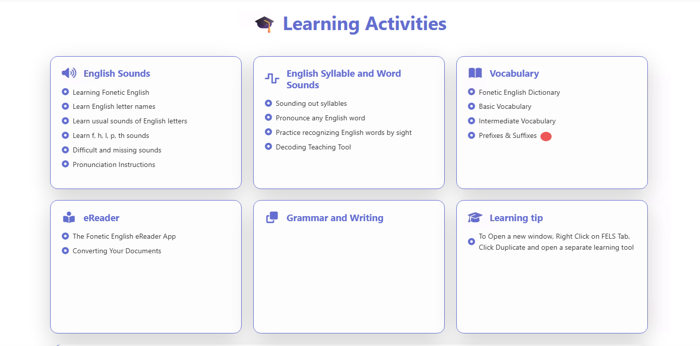
Step 2 — Click “Prefixes & Suffixes”
Now you'll see a page of cards. Find the card called Vocabulary and click Prefixes & Suffixes underneath it. That's the tool that teaches word-beginnings and word-endings.
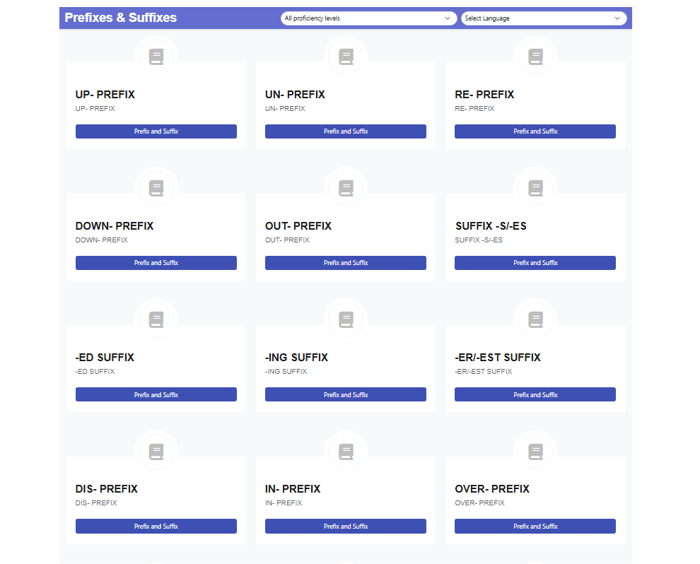
Step 3 — Choose your level, language and a word-piece
At the top are two dropdowns: one for how tricky you want it and one for your language, so translations appear in words you already know. Underneath you'll see cards like UP- PREFIX, DIS- PREFIX and -ING SUFFIX. Click whichever one you'd like to learn first.
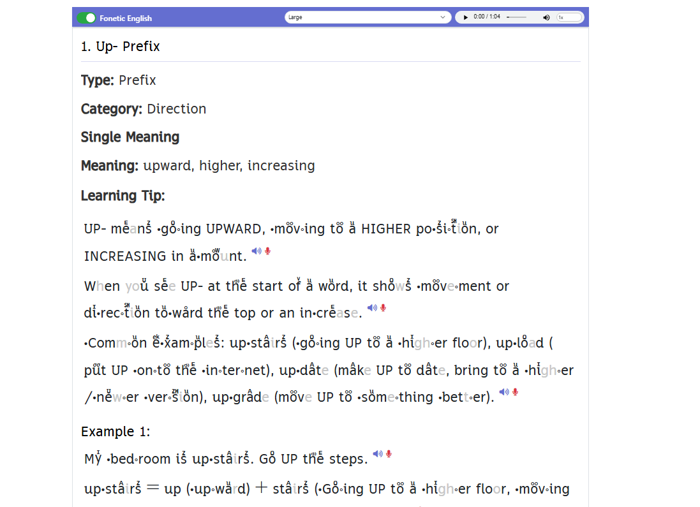
Step 4 — Meet your lesson
The lesson tells you the type, the meaning and a Learning Tip, then gives you real examples in sentences. The dots and marks above and inside the words are there to help you say each part correctly, like tiny road signs for your mouth. Next to each line sit two small buttons: a blue speaker and a red microphone.
Step 5 — Press the red microphone and say it out loud
Click the blue speaker first so you know how the line should sound. Then click the red microphone — that's Record, and the app starts listening. A little timer counts the seconds so you know it's working. Say the line in your clearest voice, then click the red square to stop.
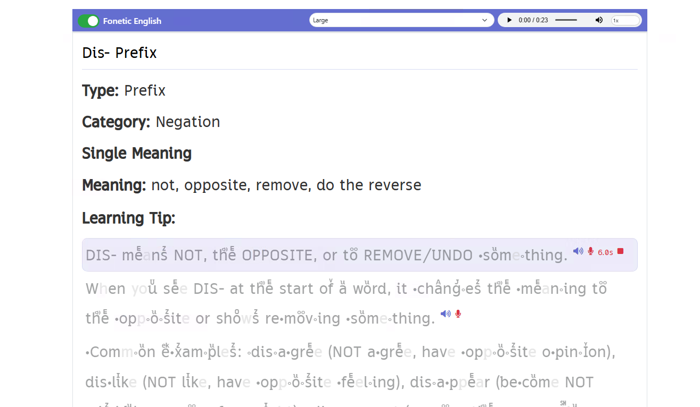
Step 6 — Press the green play arrow
Once you stop recording, a small green arrow appears next to the line. Click it to hear the recording you just made. It's a bit like a selfie, but with sound instead of a photo.
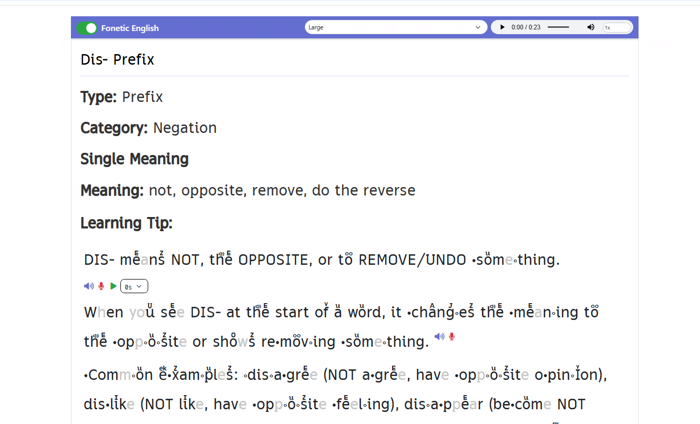
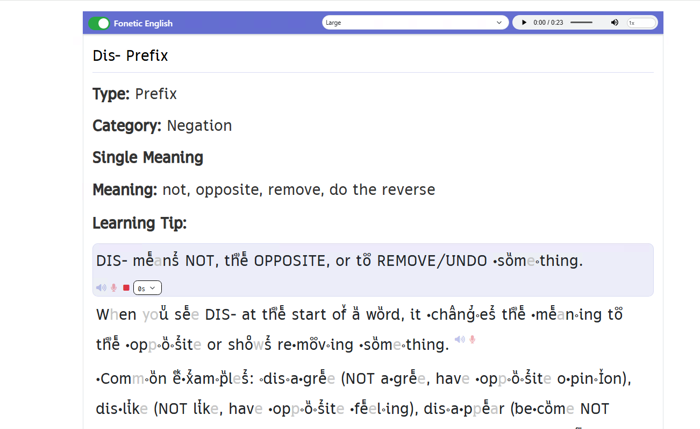
Step 7 — Listen carefully and compare
While your voice plays, the green arrow turns into a red square and the line lights up. Listen closely, then play the blue speaker again and hear how close you got. If it sounded different, just record again — that's exactly how it starts to feel easy.
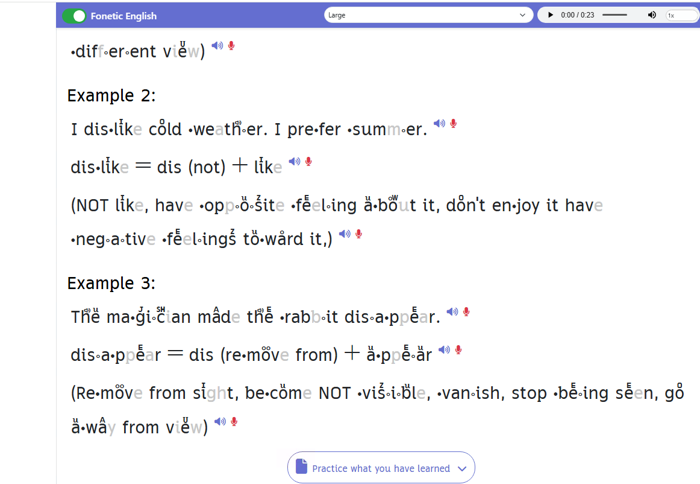
Step 8 — Click “Practice what you have learned”
Scroll to the bottom of the lesson and you'll find a button that says Practice what you have learned. Click it to open a short quiz about the word-piece you've just met. It's a quick way to check the meaning really landed.
Step 9 — Yay, you got it right!
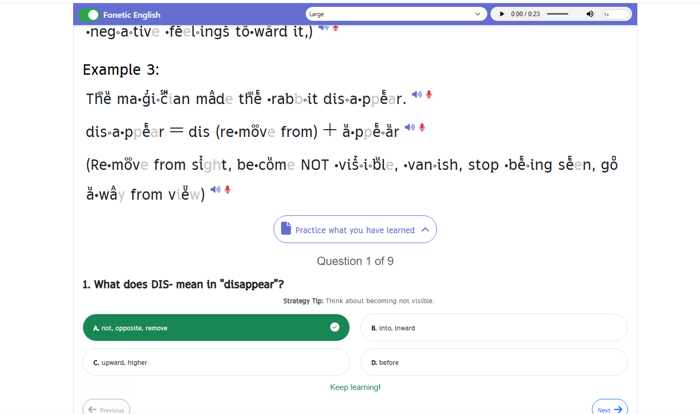
Pick the answer you think is correct and, if it's right, it turns green with a tick and says “Keep learning!”. At the top you'll see something like “Question 1 of 9”, so you always know how far along you are. There's also a Strategy Tip under each question to nudge you in the right direction.
Step 10 — Picked the wrong one? No problem
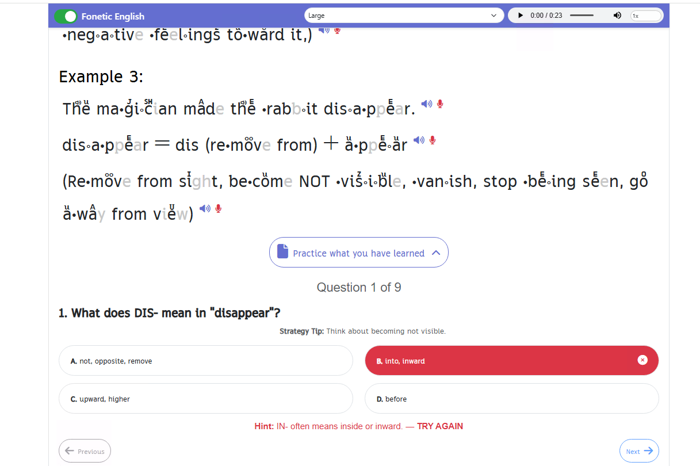
A wrong answer turns red with a little cross, and a hint appears underneath in red asking you to TRY AGAIN. So you're never stuck — you get a clue and another go. Getting one wrong is just your brain learning something new.
Step 11 — Click Next for the next question
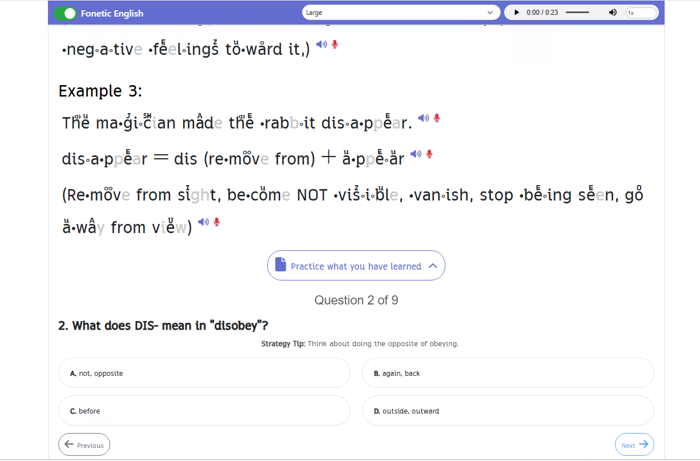
The Next button is in the bottom right corner. Click it and the next question appears, counting up as you go. Previous takes you back if you'd like another look at an earlier one.
Step 12 — Click Finish when you've answered them all
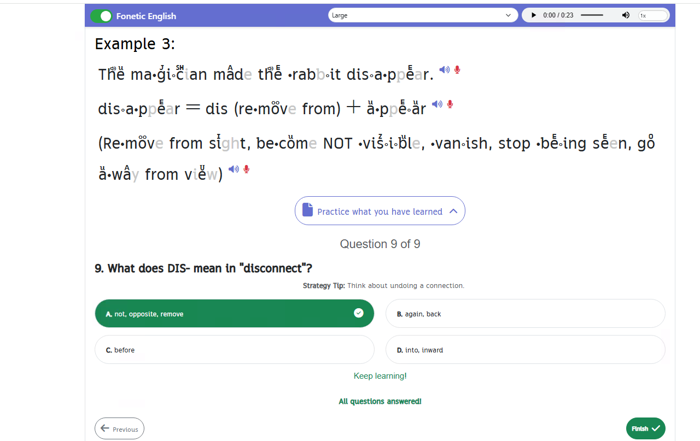
When you reach the last question, the app says “All questions answered!” and a green Finish button appears. Click it to close the quiz and go back. Then pick a new word-piece whenever you're ready.
Handy tip
Collect words that share the same piece. After you learn DIS-, see how many DIS- words you can spot in a day: disappear, dislike, disagree. Hunting for them turns the lesson into a game, and words you find yourself are the ones you remember longest.