eReader
Read real passages written in Fonetic English, listen along, and answer questions about what you read.
Who is this for?
This tool is for anyone who can sound out words but would like to get better at reading whole pieces of writing.
Instead of single words, you get a proper passage to read — with the sound signs on, so you're never stuck guessing. If you'd like reading to feel smoother and less like hard work, start here.
What will you learn?
The eReader is your own library of reading practice. Here's what you get to do:
- Read a whole passage written in Fonetic English, at whatever pace suits you.
- Listen to it being read aloud and follow the words as they light up.
- Answer questions afterwards to check you understood what you read.
Nobody is timing you. Read a passage twice if you like — the second time is usually when it clicks.
How to use it — step by step
Step 1 — Click eReader
When you open the app, look at the list on the right called Materials & Resources. Find the line that says eReader and click it. That opens the reading section.
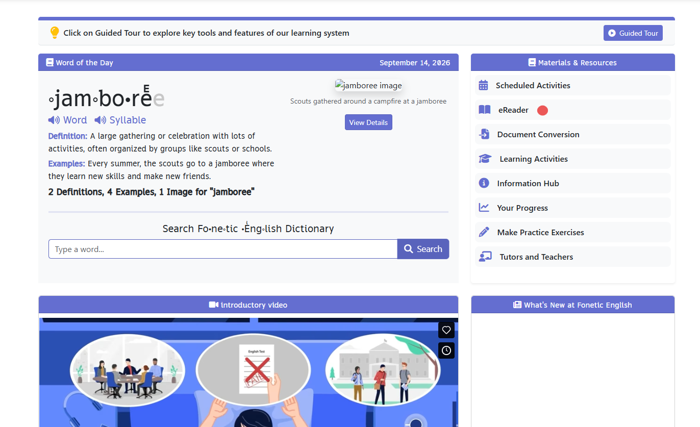
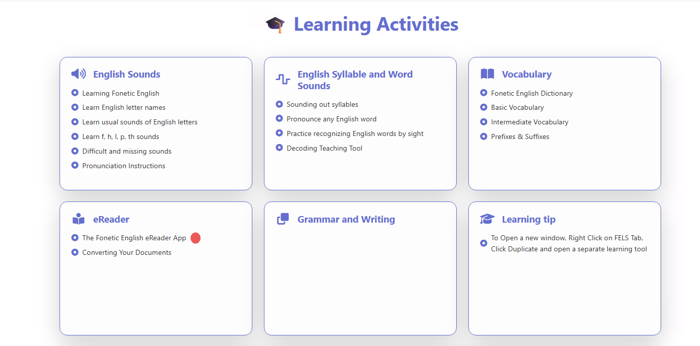
Step 2 — Click “The Fonetic English eReader App”
A page of cards appears. Find the card called eReader and click The Fonetic English eReader App underneath it. This takes you to the library of things to read.
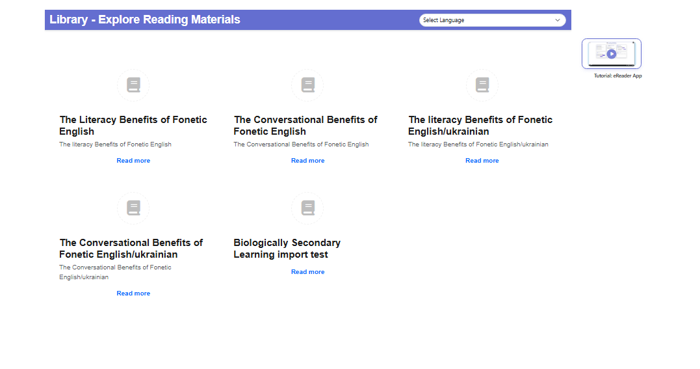
Step 3 — Pick your language and a reading
At the top there's a dropdown to choose your language. Below it are cards, each one a different piece of writing with a short description. Click Read more on whichever one looks interesting to you.
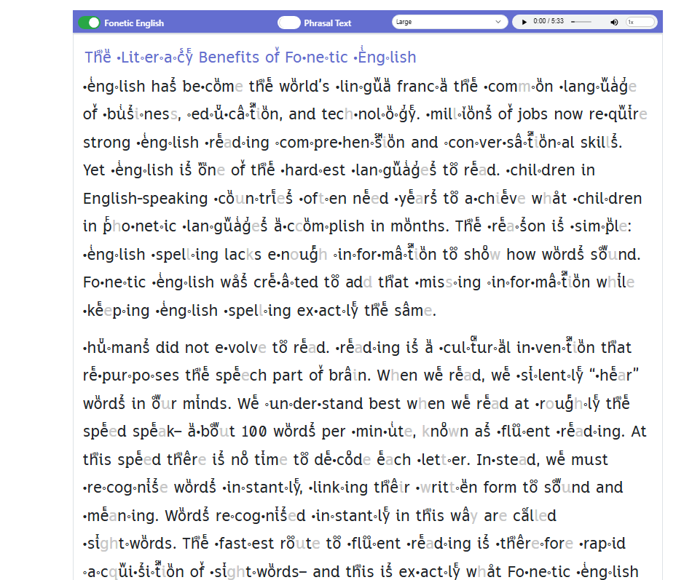
Step 4 — Your reading opens
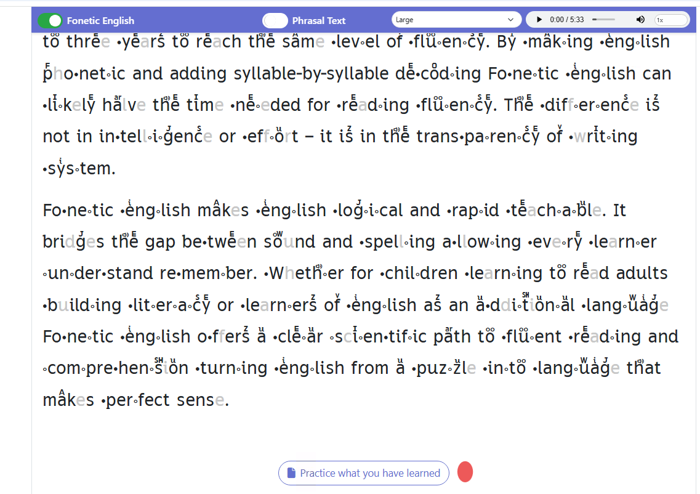
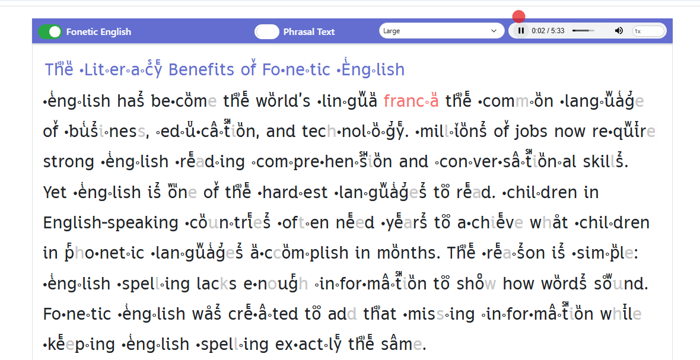
Here's your passage, written in Fonetic English so every word shows you how it's said. Along the top there's a size box if the writing is too small, and a play bar for listening. Take your time and read as much as you like.
Step 5 — Click “Practice what you have learned”
Scroll to the bottom of the passage and you'll find a button called Practice what you have learned. Click it when you're ready to check what you took in. It opens a set of questions about what you just read.
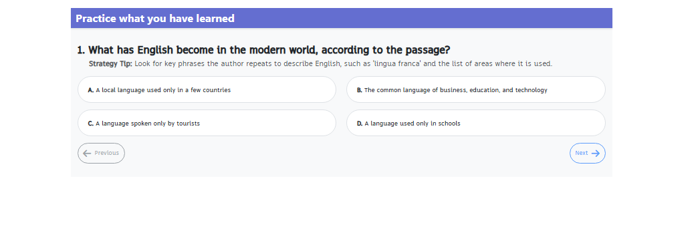
Step 6 — Read the question and choose
A question appears with four answers labelled A, B, C and D. Under each question there's a Strategy Tip telling you what to look for in the passage. Read it, think about it, then click the answer you believe is right.
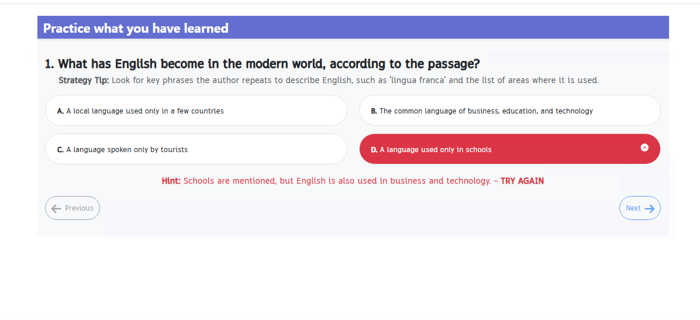
Step 7 — Picked the wrong one? No problem
A wrong answer turns red with a little cross, and a hint appears underneath explaining what you may have missed, then says TRY AGAIN. You're never left stuck — you get a clue and another go. Getting one wrong is just part of learning.
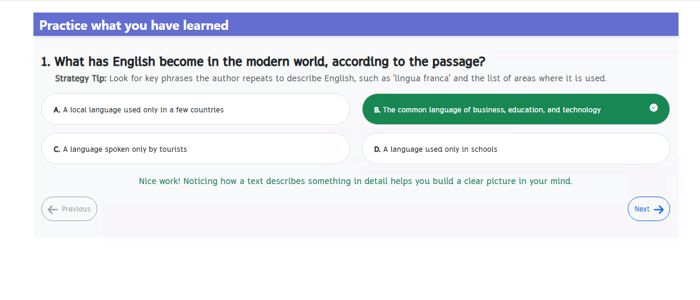
Step 8 — Yay, you got it right!
The correct answer turns green with a tick, and a friendly message explains why that answer works. These little notes are worth reading, because they teach you how to find answers in any passage. Give yourself a cheer and carry on.
Step 9 — Click Next for the next question
The Next button sits in the bottom right corner. Click it to move on to the next question. If you'd like to see an earlier one again, Previous takes you back.
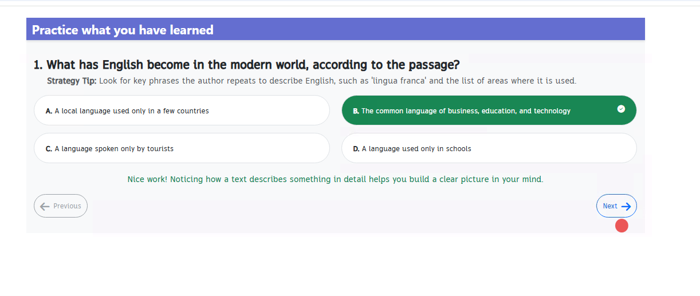
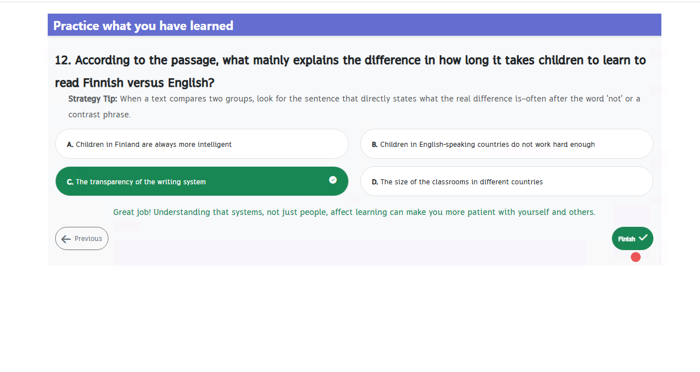
Step 10 — Click Finish when you've answered them all
On the last question, a green Finish button appears in the corner. Click it to close the questions and go back to your reading. You can always open them again later.
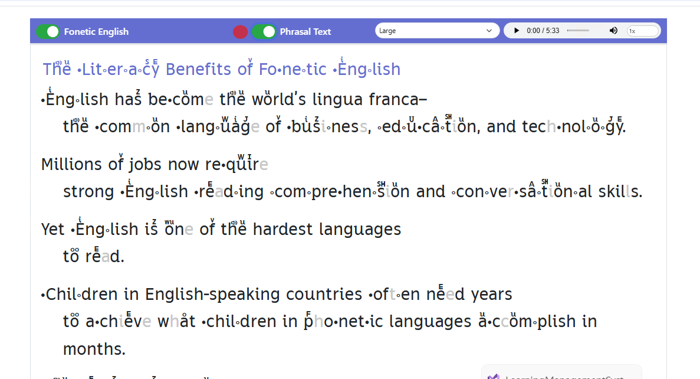
Step 11 — Try the Phrasal Text switch
Along the top of the reading there's a switch called Phrasal Text. Turn it on and the writing rearranges itself into short phrases, one idea per line. It's like being given natural places to breathe, and it makes long sentences much easier to follow.
Step 12 — Press play to hear it read aloud
In the top right corner there's a play button. Click it and the passage is read out loud to you from the beginning. Turn Phrasal Text back off first if you'd prefer to see it as normal writing.
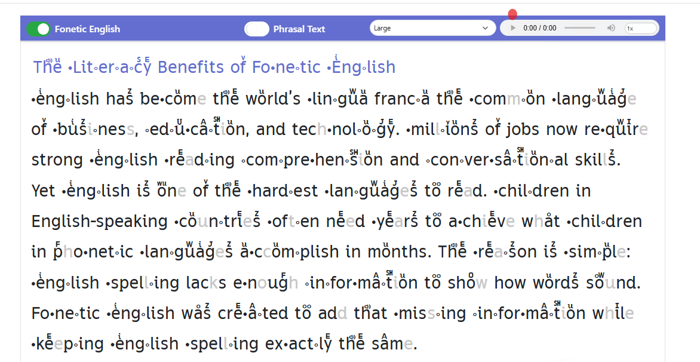
Step 13 — Follow the highlighted word
As the voice reads, each word lights up in red exactly when it's spoken. Follow along with your eyes and you'll link how a word looks to how it sounds. Press the same button again to pause any time you want to catch up.
Handy tip
Read it once on your own, then listen to it. Doing it in that order means you find out how close your own reading was, instead of just copying the voice. The bits where you and the voice disagree are exactly the bits worth practising.