Fonetic English Dictionary
Look up any English word to see how it's built, hear how it sounds, and check what it means.
Who is this for?
This tool is for anyone who meets a word they don't know and wants to find out how to say it, not just what it means.
You can look up absolutely any word you're curious about — one from a book, from a lesson, or one you just heard someone say. It's your own dictionary that talks back.
What will you learn?
The Fonetic English Dictionary shows you a word from every angle. Here's what you get to do:
- See any word written with the Fonetic English sound signs, split into its syllables.
- Here the complete word pronounced, pronounced syllable by syllable, hear each syllable progressively sounded out by clicking on the speaker icon, and listen to any phoneme or part syllable by clicking on the box containing the letters you want to hear
- Hear it in a British accent then record yourself and compare it to our pronunciation. American and Australian accents will be added soon,
- Read what it means, plus related words, phrasal verbs and idioms that use it. We have tried to collect a comprehensive list of phrasal verbs and idioms.
There's no lesson to finish here — just look up whatever you're curious about, whenever you're curious about it.
How to use it — step by step
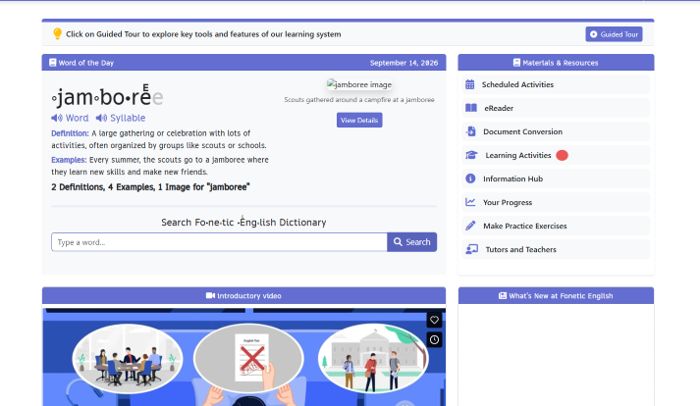
Step 1 — Find Learning Activities
When you open the app, look at the list on the right called Materials & Resources. Every line is something you can do. Click Learning Activities to open the full list.
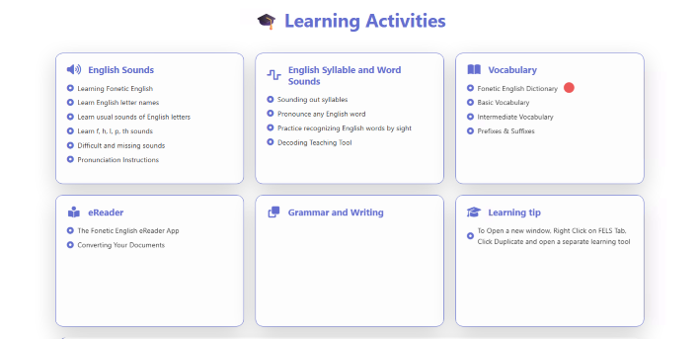
Step 2 — Click “Fonetic English Dictionary”
On the page of cards, find the one called Vocabulary and click Fonetic English Dictionary at the top of it. That's your talking dictionary.
Step 3 – Listen to the video
The first time you use this tool, please look at the video so you know how to use the tool.(we should show them where it is on the page )
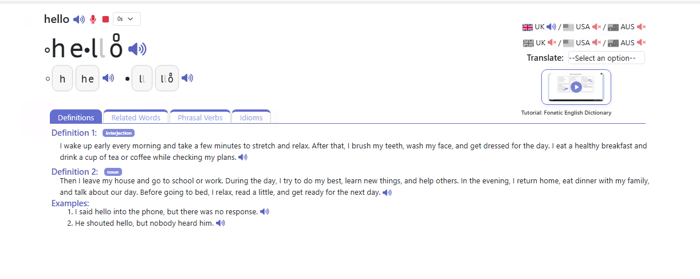
Step 4 — Type a word into the search box
The dictionary's front page has a search box near the top. Type in any word you're wondering about and click the search button. Underneath you'll also see a list of everything the dictionary can show you, if you'd like a look first.
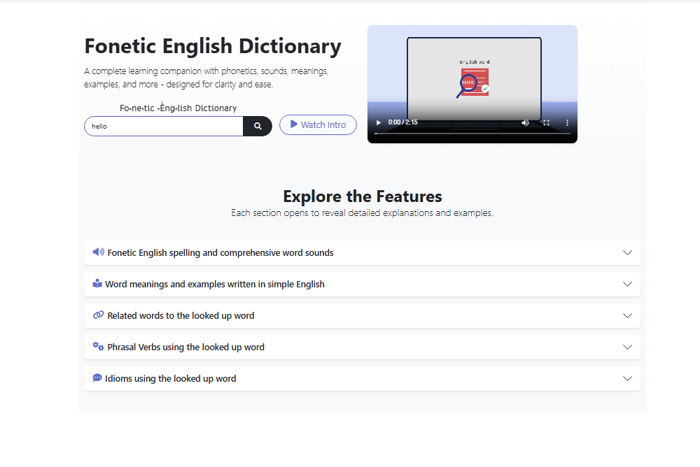
Step 5 — Meet your word
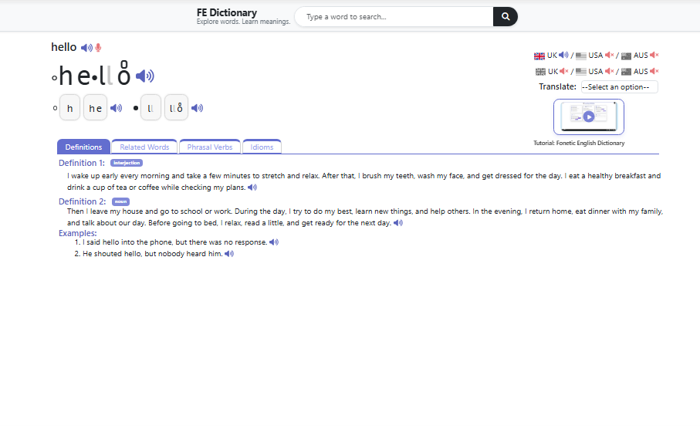
Your word appears in big letters with the sound signs on, and split into syllables in little grey boxes so you can see the chunks it's made from. On the right you can pick a UK accent (with USA and Australian accents being added soon). Underneath are the meanings and example sentences.
Step 6 — Press the red microphone and say the word
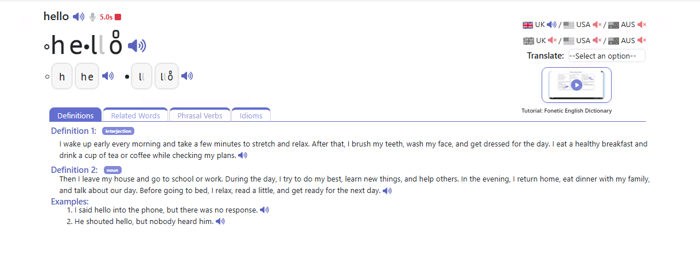
Next to the word at the top there's a red microphone — that's Record. Click it and the app starts listening, with a little timer counting the seconds. Say the word in your clearest voice, then click the red square to stop.
Step 7 — Press the green play arrow
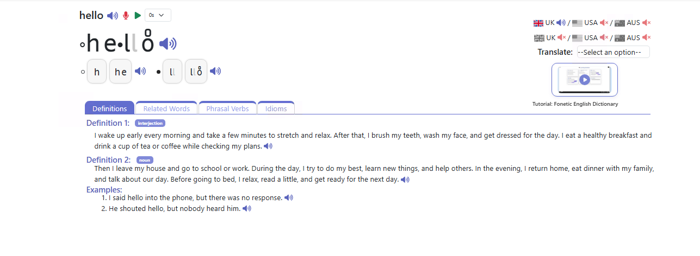
Once you've stopped recording, a small green arrow appears. Click it to hear yourself saying the word. It's a bit like a selfie, but with sound instead of a photo.
Step 8 — Listen carefully and compare
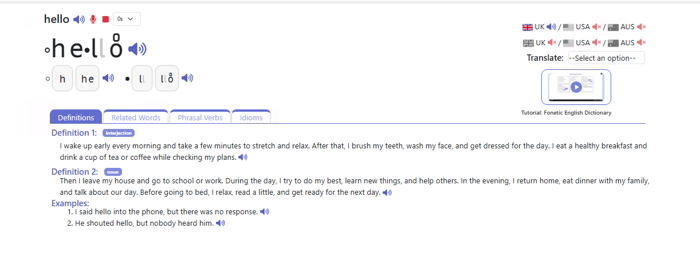
While your recording plays, the green arrow turns into a red square. Listen closely, then click the blue speaker to hear the proper version again. If they sounded different, just record again — nobody gets it first time, and nobody is listening but you.
Step 9 — Click a speaker to watch the word light up
When you click one of the blue speaker buttons, the word changes colour as it's read aloud. That lets you see which part is being said at that exact moment. It's a really good way to spot which chunk you were getting wrong.
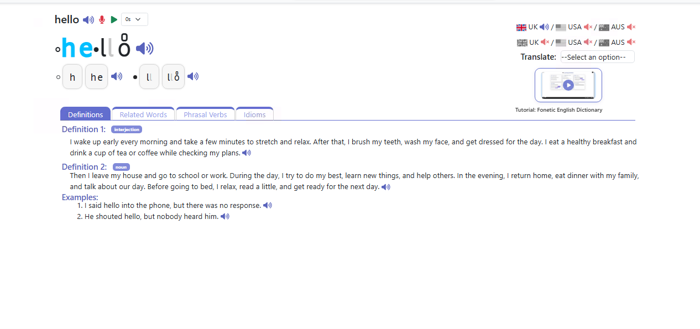
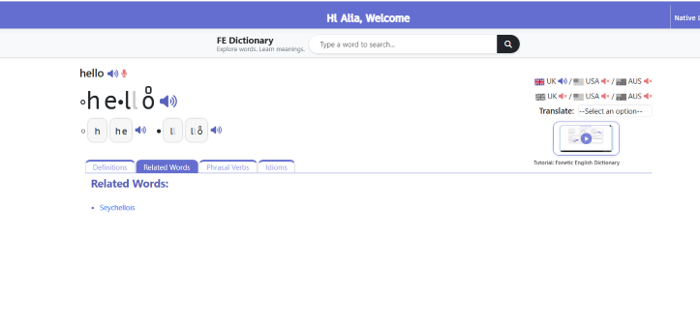
Step 10 — Try the Related Words tab
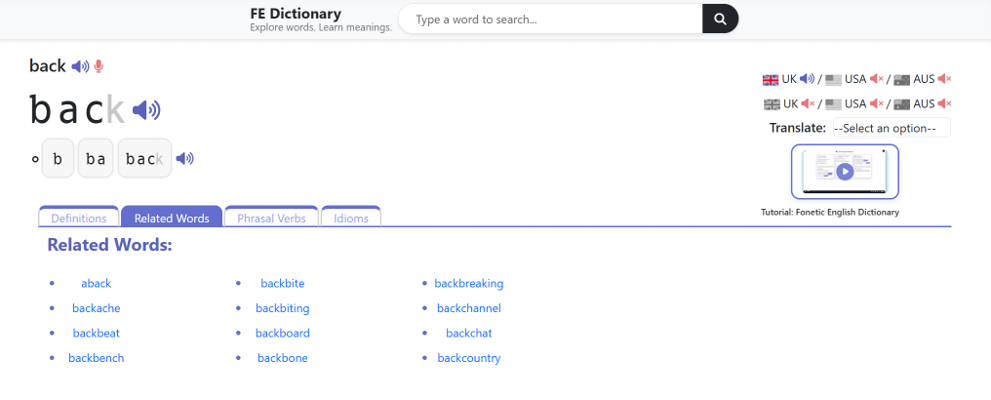
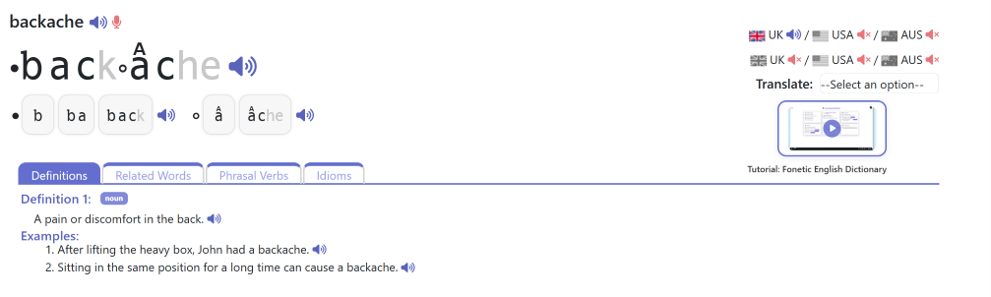
Just above the meanings there's a row of tabs. Click Related Words to see other words that belong to the same family. It's a nice way to pick up two or three extra words for free.
The word “backache” was chosen:
Step 11 — Try the Phrasal Verbs tab
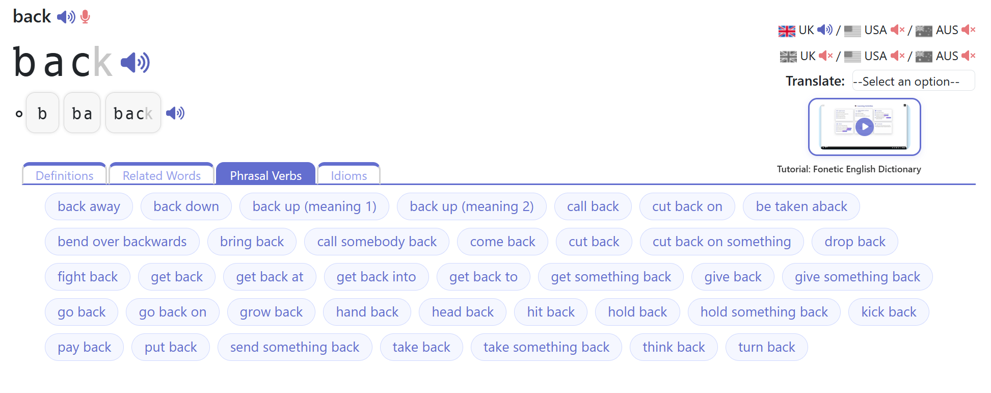
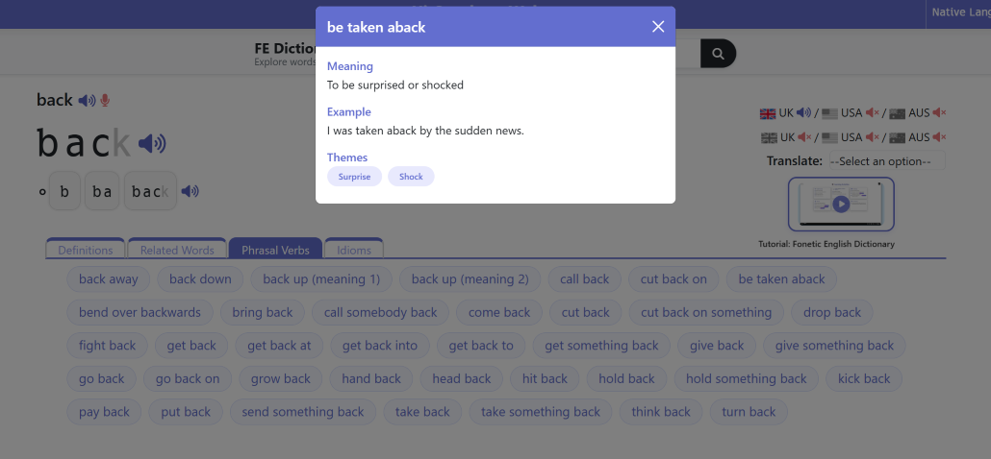
Click Phrasal Verbs to see phrases built from your word, like “look after” or “give up”. Some words simply don't have any, and the app will say so — that's not a mistake, it just means this word isn't used that way.
The phrasal verb “be taken aback” was chosen:
Step 11 — Try the Idioms tab
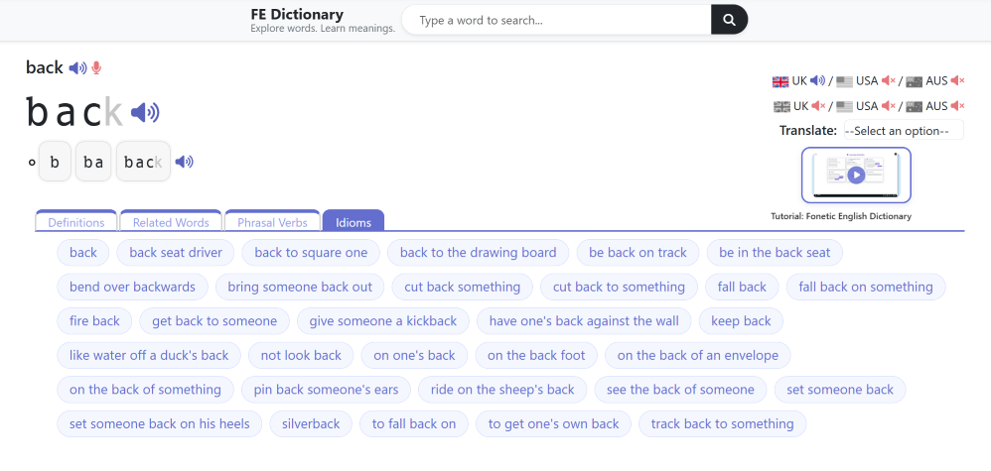
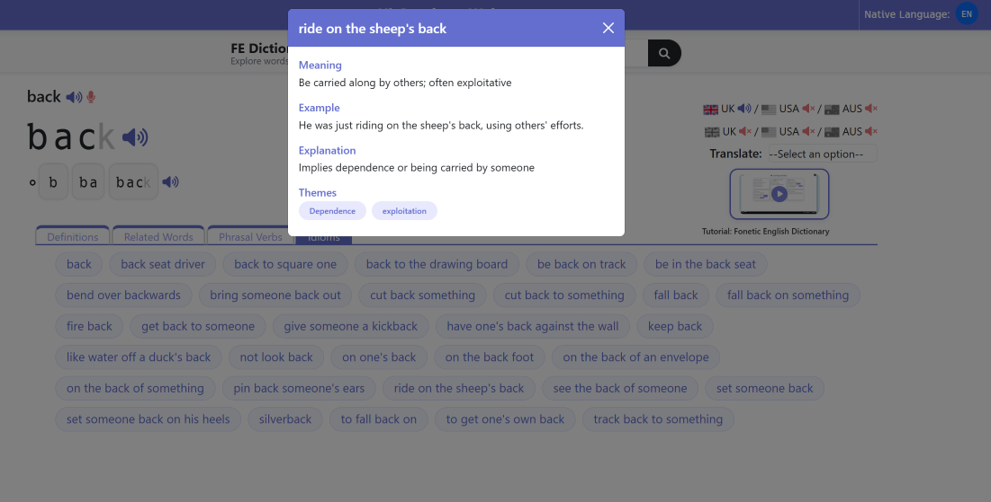
Click Idioms to see funny sayings that use your word, where the words together mean something different from the words on their own. Again, if there aren't any, the app tells you plainly. Try a really common word like “hand” or “heart” and you'll usually find some.
Click on an idiom to see its definition
Handy tip
Look up a word the moment you wonder about it. If you meet a strange word while reading, stop and search it straight away, then say it out loud once. A word you looked up because you actually wanted to know sticks far better than one from a list someone handed you.